> ## Documentation Index
> Fetch the complete documentation index at: https://docs.edicek.com/llms.txt
> Use this file to discover all available pages before exploring further.

# YouTube

export const LoopVideo = ({src, poster, variant, autoPreload}) => (variant === 'tall' || variant === 'classic') && typeof autoPreload === 'boolean' ? <div onMouseEnter={e => {
  const replay = e.currentTarget.querySelector('[data-replay]');
  if (replay) replay.style.opacity = '1';
}} onMouseLeave={e => {
  const replay = e.currentTarget.querySelector('[data-replay]');
  if (replay) replay.style.opacity = '0';
}} style={{
  position: 'relative',
  margin: '18px 0 6px',
  aspectRatio: variant === 'tall' ? '3 / 4' : '4 / 3',
  borderRadius: '14px',
  border: '1px solid #ecdfcd',
  overflow: 'hidden',
  background: 'radial-gradient(130% 120% at 18% 12%, #fcf8f2 0%, #f5eee3 42%, #ece0cf 78%, #e4d7c3 100%)'
}}>
    <video ref={el => {
  if (!el || el.dataset.lazyInit) return;
  el.dataset.lazyInit = '1';
  el.muted = true;
  const box = el.parentElement;
  const loading = box && box.querySelector('[data-loading]');
  const hideLoading = () => {
    if (loading && el.readyState >= 2) loading.style.opacity = '0';
  };
  el.addEventListener('loadeddata', hideLoading);
  el.addEventListener('playing', hideLoading);
  const startPlay = () => {
    el.play().catch(() => {});
  };
  if (autoPreload || typeof IntersectionObserver === 'undefined') {
    startPlay();
    return;
  }
  const io = new IntersectionObserver(entries => {
    entries.forEach(entry => {
      if (entry.isIntersecting) startPlay(); else el.pause();
    });
  }, {
    rootMargin: '150px'
  });
  io.observe(el);
}} muted loop playsInline preload={autoPreload ? 'auto' : 'none'} poster={poster} onClick={e => {
  const el = e.currentTarget;
  const pill = el.parentElement && el.parentElement.querySelector('[data-pill]');
  const show = (text, autoHide) => {
    if (!pill) return;
    pill.textContent = text;
    clearTimeout(pill._t);
    pill.style.opacity = '1';
    if (autoHide) {
      pill._t = setTimeout(() => {
        pill.style.opacity = '0';
      }, 900);
    }
  };
  if (el.paused) {
    el.play().catch(() => {});
    show('Unpaused', true);
  } else {
    el.pause();
    show('Paused', false);
  }
}} style={{
  position: 'absolute',
  inset: 0,
  width: '100%',
  height: '100%',
  margin: 0,
  objectFit: 'cover',
  display: 'block',
  cursor: 'pointer'
}}>
      <source src={src} type="video/mp4" />
    </video>
    <div data-loading style={{
  position: 'absolute',
  inset: 0,
  display: 'flex',
  alignItems: 'center',
  justifyContent: 'center',
  opacity: 1,
  transition: 'opacity 0.3s ease',
  pointerEvents: 'none',
  fontFamily: 'ui-monospace, SFMono-Regular, Menlo, monospace',
  fontSize: '11px',
  fontWeight: 600,
  letterSpacing: '0.08em',
  textTransform: 'uppercase',
  color: '#8a7f70'
}}>
      Video is loading…
    </div>
    <button data-replay type="button" aria-label="Replay from the start" onClick={e => {
  e.stopPropagation();
  const box = e.currentTarget.parentElement;
  const video = box && box.querySelector('video');
  const pill = box && box.querySelector('[data-pill]');
  if (pill) pill.style.opacity = '0';
  if (video) {
    video.currentTime = 0;
    video.play().catch(() => {});
  }
}} style={{
  position: 'absolute',
  top: '10px',
  left: '10px',
  display: 'flex',
  alignItems: 'center',
  justifyContent: 'center',
  width: '32px',
  height: '32px',
  padding: 0,
  opacity: 0,
  transition: 'opacity 0.25s ease',
  color: '#ffffff',
  background: 'rgba(19, 22, 27, 0.72)',
  backdropFilter: 'blur(4px)',
  border: 'none',
  borderRadius: '999px',
  cursor: 'pointer'
}}>
      <svg width="16" height="16" viewBox="0 0 24 24" fill="none" stroke="currentColor" strokeWidth="2" strokeLinecap="round" strokeLinejoin="round" aria-hidden="true">
        <path d="M3 12a9 9 0 1 0 3-6.7L3 8" />
        <path d="M3 3v5h5" />
      </svg>
    </button>
    <div data-pill style={{
  position: 'absolute',
  top: '10px',
  right: '10px',
  opacity: 0,
  transition: 'opacity 0.25s ease',
  fontFamily: 'ui-monospace, SFMono-Regular, Menlo, monospace',
  fontSize: '11px',
  fontWeight: 600,
  letterSpacing: '0.06em',
  textTransform: 'uppercase',
  color: '#ffffff',
  background: 'rgba(19, 22, 27, 0.72)',
  backdropFilter: 'blur(4px)',
  borderRadius: '999px',
  padding: '4px 10px',
  pointerEvents: 'none'
}}>
      Paused
    </div>
  </div> : <div style={{
  margin: '18px 0 6px',
  padding: '12px 16px',
  borderRadius: '10px',
  border: '2px solid #d33',
  background: '#ffe5e5',
  color: '#990000',
  fontFamily: 'ui-monospace, SFMono-Regular, Menlo, monospace',
  fontSize: '13px',
  lineHeight: 1.5
}}>
      {'<LoopVideo>'} needs <strong>variant</strong> (<strong>"tall"</strong> = 3:4 or <strong>"classic"</strong> = 4:3)
      and <strong>autoPreload</strong> ({'{true}'} or {'{false}'}).
    </div>;

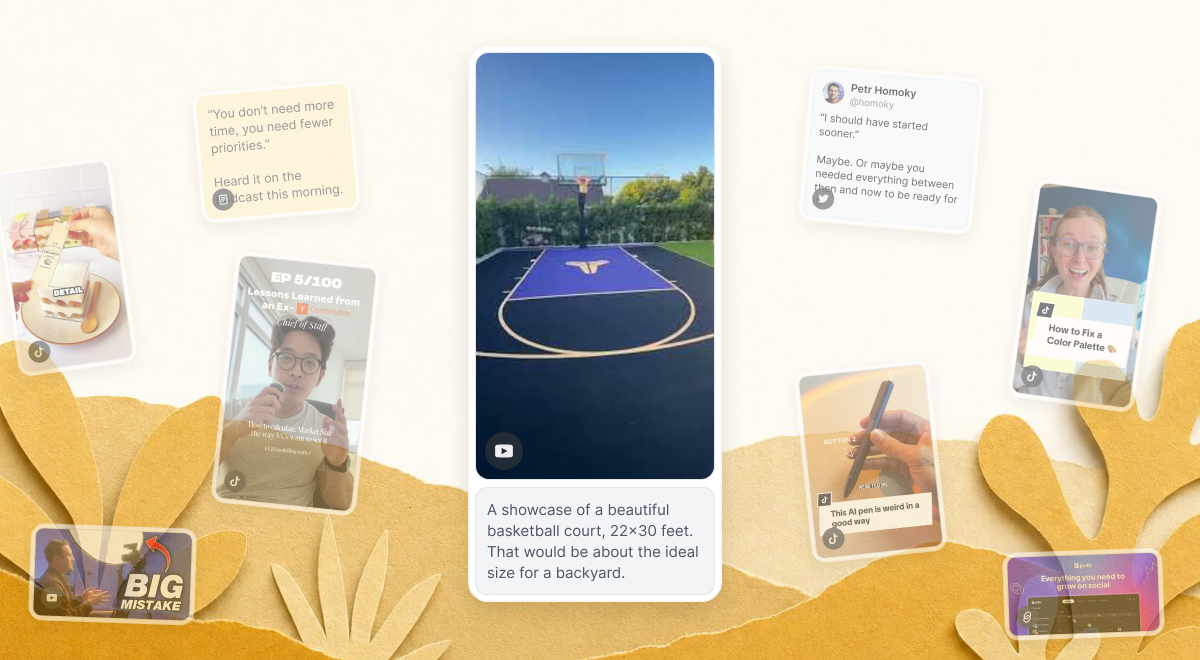
<img src="https://mintcdn.com/edicek/pblCEn_DBESvWj_e/images/card-types/youtube.avif?fit=max&auto=format&n=pblCEn_DBESvWj_e&q=85&s=b0b2ec5ee7c87899411ef81c9acee24b" alt="A YouTube card - a saved video with a play button and a note beneath it - surrounded by other saved cards on paper." style={{ width: '100%', borderRadius: '14px', border: '1px solid #ecdfcd', display: 'block', margin: '0 0 6px' }} width="1200" height="660" data-path="images/card-types/youtube.avif" />

Never lose track of valuable YouTube content again. Save videos with a note about **WHY** they matter, and find them later by what was discussed - not by remembering the exact title or channel.

## What gets captured

* **Title** - the video's title.
* **Thumbnail** - so the video stays recognizable in your timeline.
* **Full transcript** - every word spoken, with timestamps. It isn't shown in the app yet, but it's fully searchable behind the scenes and powers [Search](/core-features/search) and [Chat](/core-features/chat).
* **Your note** - the **WHY** you saved it, which guides how Search and Chat use the card.

## How to save

Save straight from the YouTube app on your iPhone - once Edicek is in your share sheet, it's a couple of taps.

<Steps>
  <Step title="Add Edicek to your favorites (once)">
    In the iOS share sheet, add Edicek to your **Favorites** so it's always one tap away. The [Quick start](/getting-started/quick-start) shows exactly where.
  </Step>

  <Step title="Open the share sheet and pick Edicek">
    On the video, tap **Share**, then tap **More** (`⋯`) at the end of the app row to open the iOS share sheet - and pick **Edicek**.
  </Step>

  <Step title="Add your note and save">
    Write a quick line about **WHY** you're saving it - that note is what makes it findable later - then tap `Save`.
  </Step>
</Steps>

<LoopVideo src="/videos/card-youtube-ios.mp4" variant="tall" autoPreload={false} />

***

On your computer, saving works the same for every card type:

<Columns cols={2}>
  <Card title="Browser extension" icon="puzzle-piece" href="/applications/browser-extension">
    Save from any page in one click.
  </Card>

  <Card title="Web app" icon="browser" href="/applications/web">
    Save and manage from my.edicek.com.
  </Card>
</Columns>

## What to save next

<Columns cols={2}>
  <Card title="TikTok" icon="music" href="/card-types/tiktok">
    Short-form video, transcribed the same way.
  </Card>

  <Card title="Twitter/X" icon="hashtag" href="/card-types/twitter-x">
    Keep posts and threads worth remembering.
  </Card>
</Columns>
